Summer Blog - 2026
Tiffany Zhang
Week 1
Monday
SURI Orientation was today! Besides learning about the logistics of the orientation and visiting the lab, I also went on a scav hunt with Taylor where we went around campus and took pictures of cool items, one being a wooden crocodile. I'm feeling quite excited about this program, and I am excited to learn more about robots and engineering.
Tuesday
Today was a lighter day. I completed all the safety trainings, and finished reading a paper about the GIRAF arm and space robot.
Wednesday
I completed the in-person lab safety training and took a tour of the SRC, which is where I'll be working this summer. I also discussed research expectations and deliverables with Venny and Stanley, which will be a fully working teleoperation control system for GIRAF that they will be test. I also read a bunch of papers on current control systems for robots and brainstormed some ideas. Here are some ideas I had along with their key advantages and disadvantages.
1) Xbox
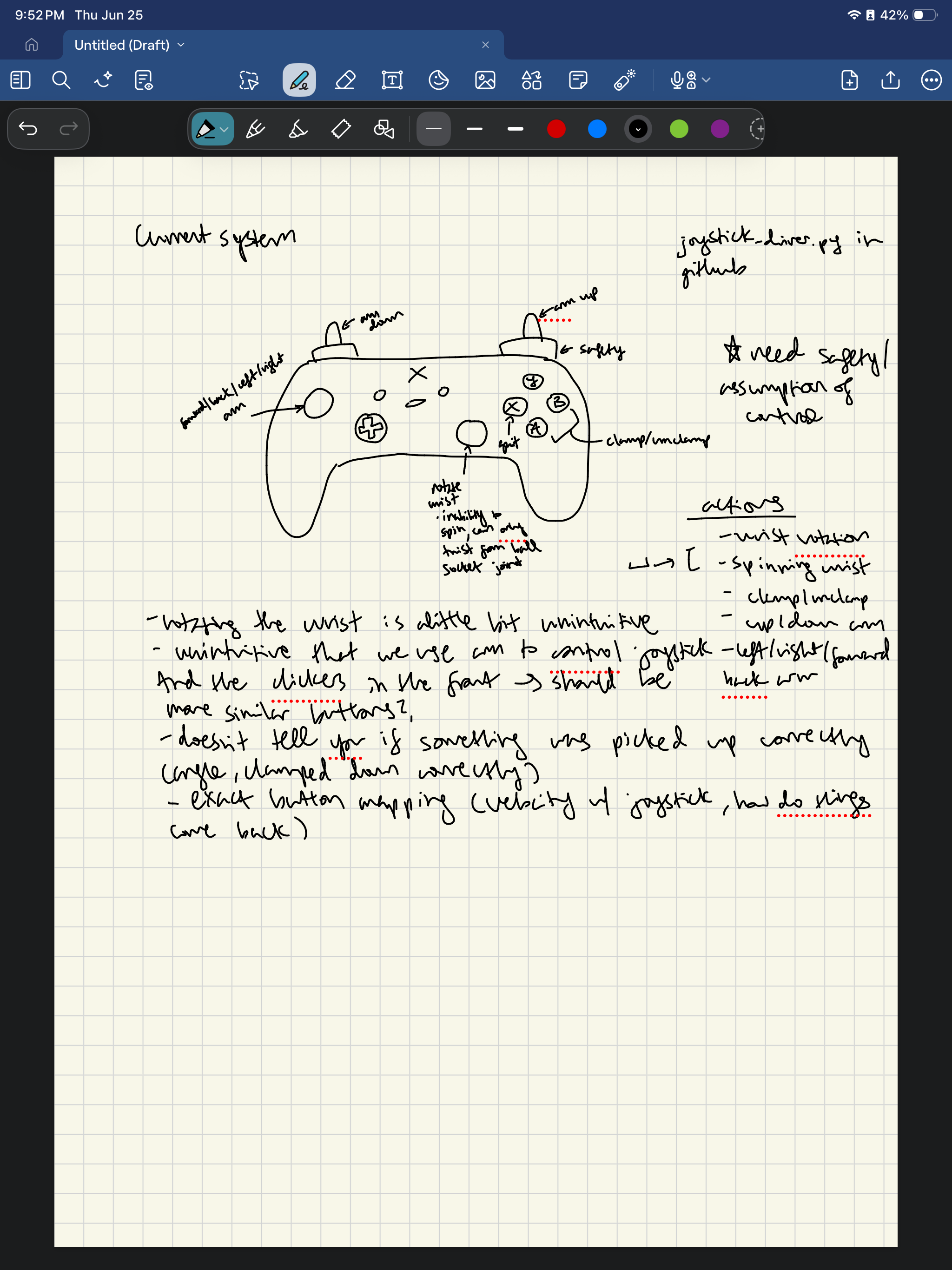
- Ads: already has an existing framework
- Disads: unintuitive, doesn't capture all movement possibilities
2) Virtual Reality
- Ads: overall positive user studies
- Disads: motion sickness
3) Leader follower architect
- Ads: overall positive user studies
- Disads: would probably not work for this robot as arm is 10 feet
4) BCI
- Ads: would be the most intuitive as user doesn't have to do anything but think
- Disads: would probably be pretty hard to implement & would not have as much resources to implement
5) Something similar to the Da Vinci robot
6) Something similar to an arcade machine
7) Motion capture suit
Thursday
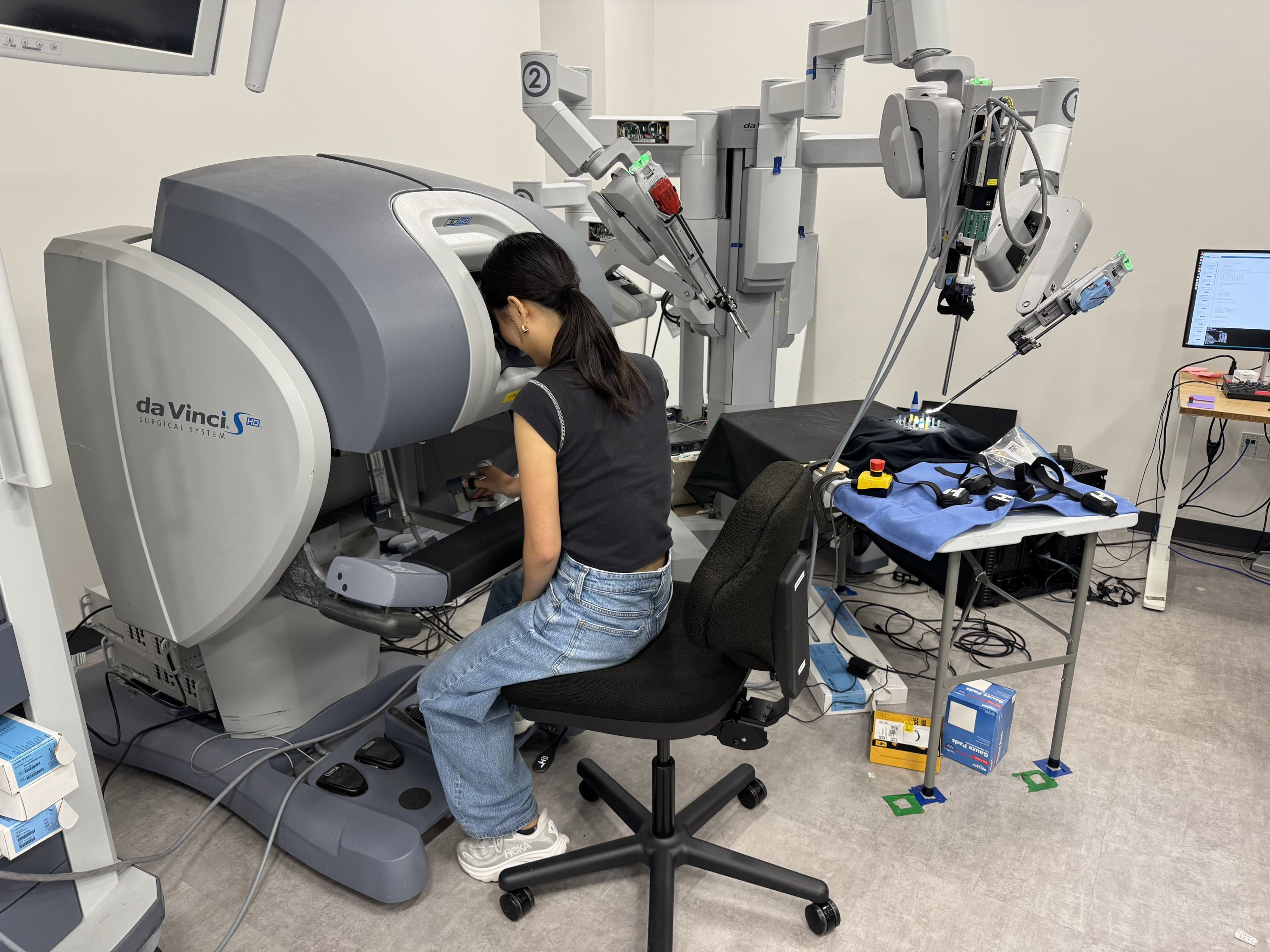
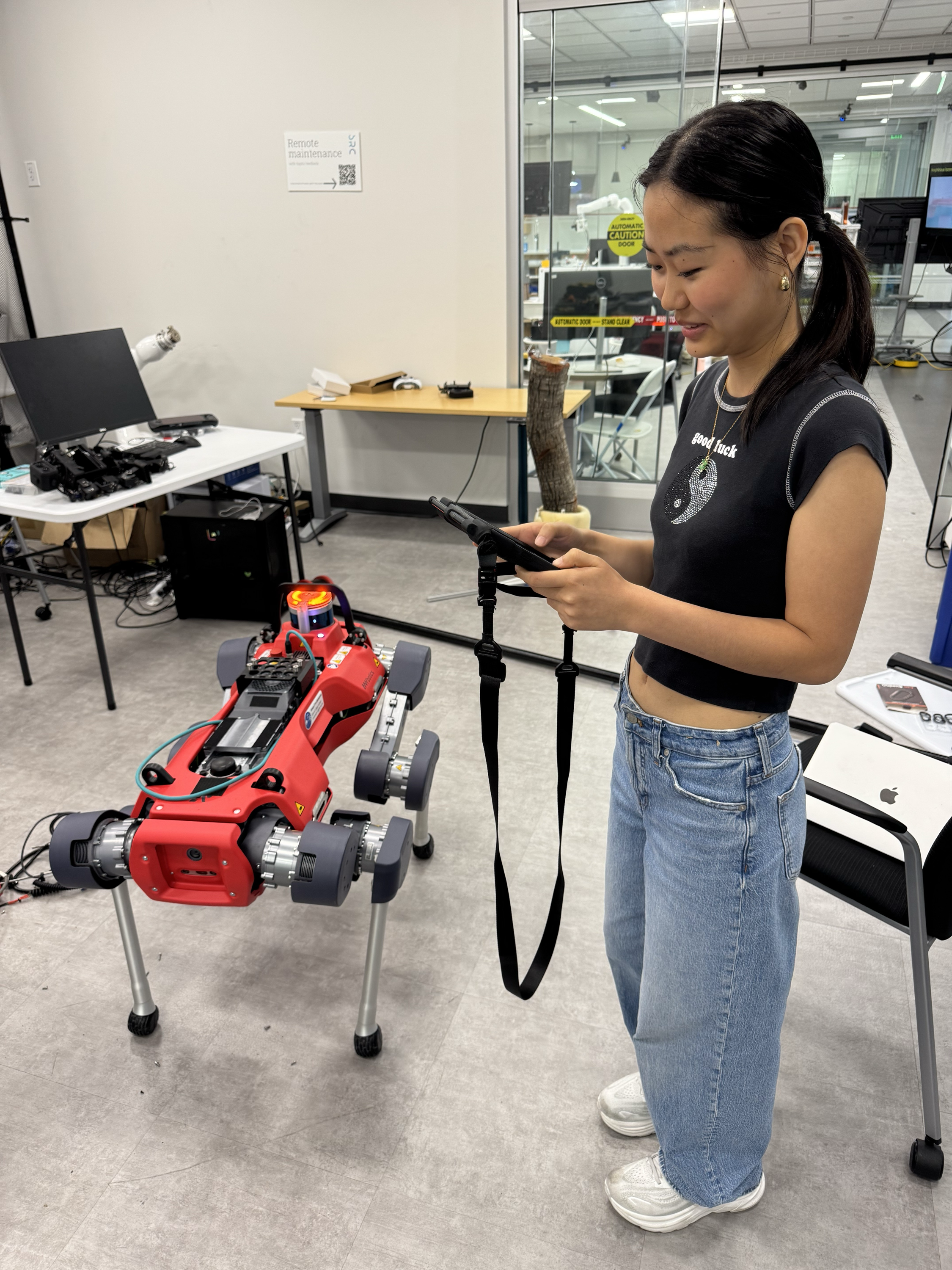
Today was a fun day because I got to operate some robots myself (the anymal robot and the Da Vinci, which is used for surgical procedures). Some key takeaways I had were that 1) there needs to be a way for the user to assume control of the robot at the beginning and 2) there needs to be an emergency stop for the robot.
Something I noticed about the anymal robot which is what the GIRAF arm will be attached to is that coordinate axes are not intuitive because I always needed to readjust the ipad to align with the robot body. It did not help that the robot light was in the back and not the front. There was also some trial and error to get familiar with the control system which is not good in high stakes situations.
Something I noticed about the Da Vinci robot was that I really would have appreciated a haptic sensor because I could not tell how hard the robot was gripping the object or how hard I was pressing.
After reviewing these two robots, I read more papers and am thinking of creating something with virtual reality and direct manipulation interface.
Friday
Today was a national holiday, so I just finished up some papers from my dorm.
Week 2
Monday
This week, my goal is to flesh out all the details of the controller system I am going to build. Today, I completed the PRL safety training and also attended a SURI fireside chat with a current PhD student about her journey. Then, I continued reading a bunch of papers on controller systems. The following below are my notes.
UI principles
- Good if user can see battery life
- Know when an arrow happens or a limitation in the robot movement has been reached, for example, maybe when we can no longer extend or something
- Robots might be able to twist in a way that the human arm cannot twist → VR limitations
- User should be aware of what's around the robot
- Must communicate available actions to user
- Option where users can zoom in and out of existing view?
- Interface should provide hints about next moves
- User should be able to switch between views
- The information provided by the UI should prevent user errors, and if a user makes a mistake, the UI should allow for its rectification. In contrast with undoing a “Cut” operation in a word processor, a “Cut” command to prune a tree through a teleoperated agri-robot cannot be undone.
Trends
- Clear shift toward multimodal hybrids (such as haptic-immersive fusions)
communication latency remains the main obstacle, with delays over 200 ms undermining stability and safety regardless of interface complexity.
- Haptic devices are among the most active areas of teleoperation,
- Trends towards autonomy and haptic devices → maybe the person just presses a button and the thing just goes there and then you start rotating
Some other ideas
- Control a robot by moving a hologram, and use Unity, ROS, motion planning, torque simulation to safely translate that into real robot motion.
- compute joint torques from the robot’s planned motion and send that back to the AR headset as visual feedback (Manual vs automatic mode)
- Control the robot by manipulating a virtual version of it in your real environment
https://ieeexplore.ieee.org/abstract/document/6977975
https://ieeexplore.ieee.org/abstract/document/11450088
https://ieeexplore.ieee.org/abstract/document/8957294
Tuesday
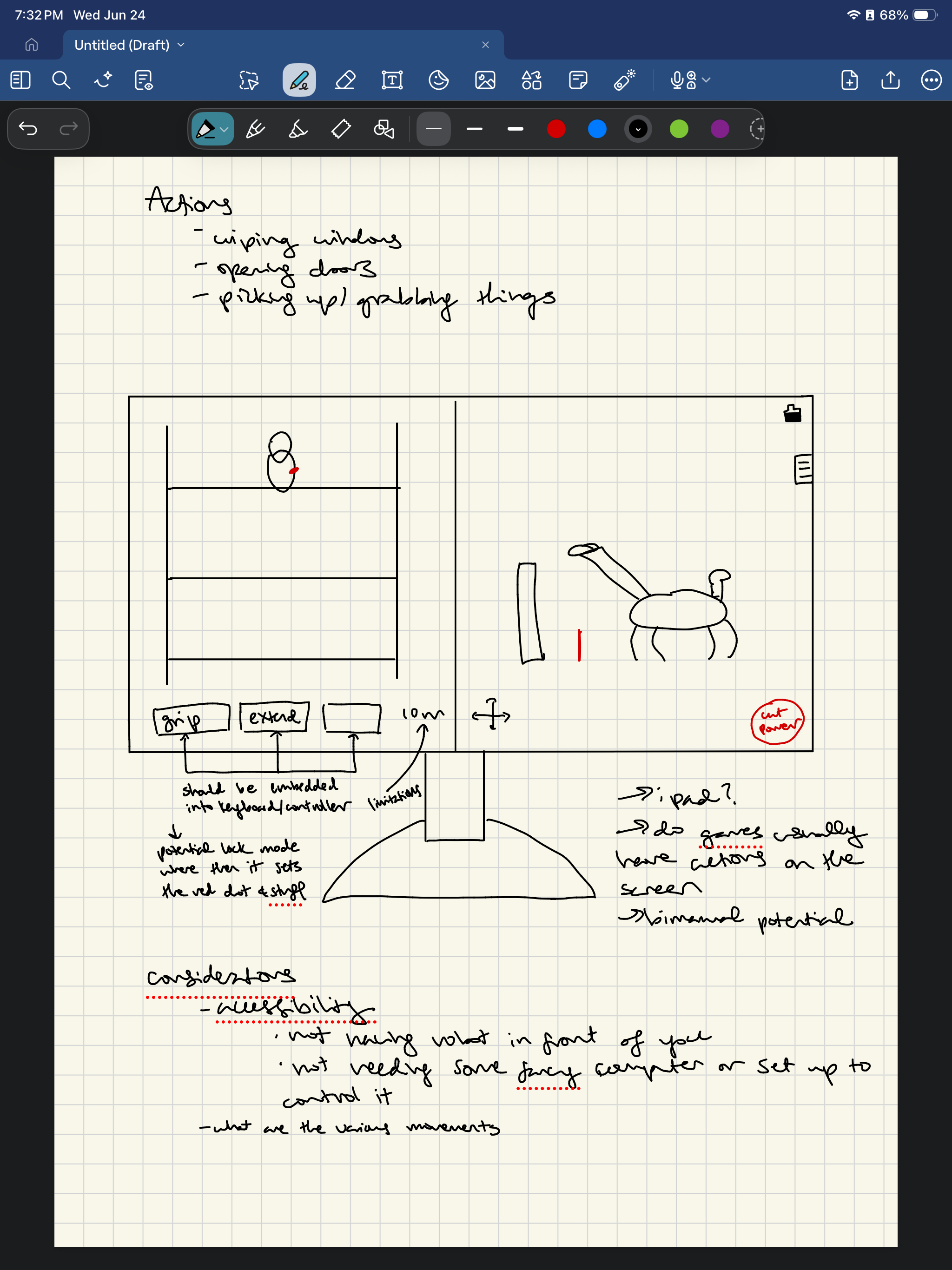
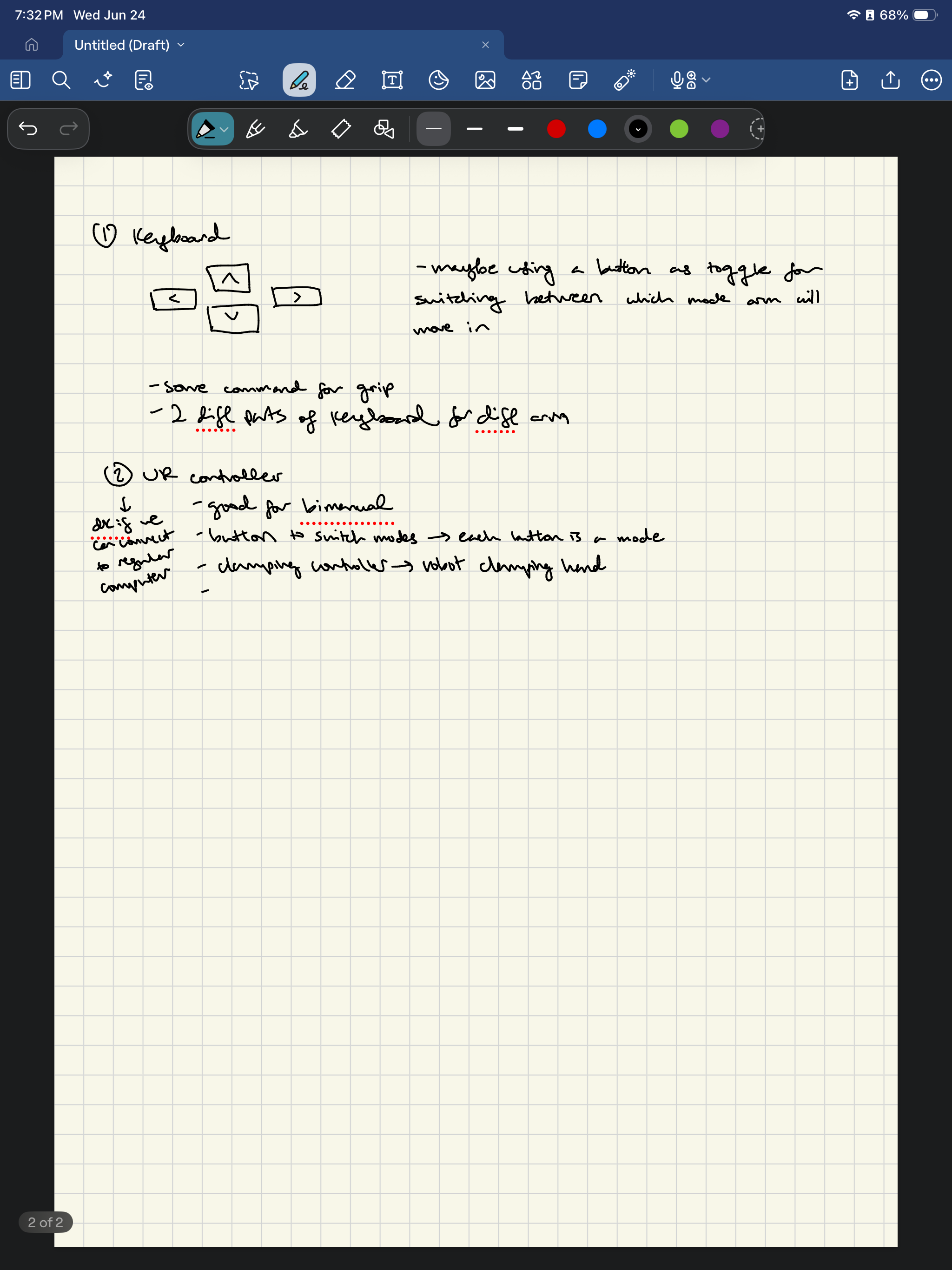
Today, I learned how to collect some data for GIRAF and got to met the other person who will also be working in BDML. I then brainstormed some ideas for the controller. The following are my notes.
Main view = first-person (robot camera)
Side panel / overlay = third-person view
- Able to switch views, zoom in/zoom out → maybe make the ways these are seen like customizable (like the size of the windows)
- Maybe just like the controllers connected to the computer → I mean like ideally we could operate robot without having to actually see it
- Rh lh orientation?
- Undoing stuff like rotation back once you originally rotate it
- Moving on keyboard/xbox controller but commands on screen/button
- Grip (autonomous)
- I feel like xbox controller is the most intuitive but maybe i should switch that out for vr → potential for bimanual???? Also might need to think about actually moving the robot.
- Adding red dots in view for correction, red lines for how close the robot should stand
- Maybe like another screen with the controller information so user knows robot movement limitations
Wednesday
In the morning, I mapped out some diagrams for the teleoperation; something I have to consider is bimanual control. In the afternoon, I had lunch with the rest of BDML and engaged in the annual lab clean up. Who would've thought there was a difference between imperial and metric screws! After that, I assisted in data collection for the GIRAF bot.
Thursday
Today, I continued fleshing out the details of my teleoperation system. We also had a meeting with Mark to discuss the compliance matrix. Below are my notes.
Friday
Today was BDML kickoff! We went to Angel Island, ate lunch, went on a hike, and talked about our goals.
Week 3
Monday
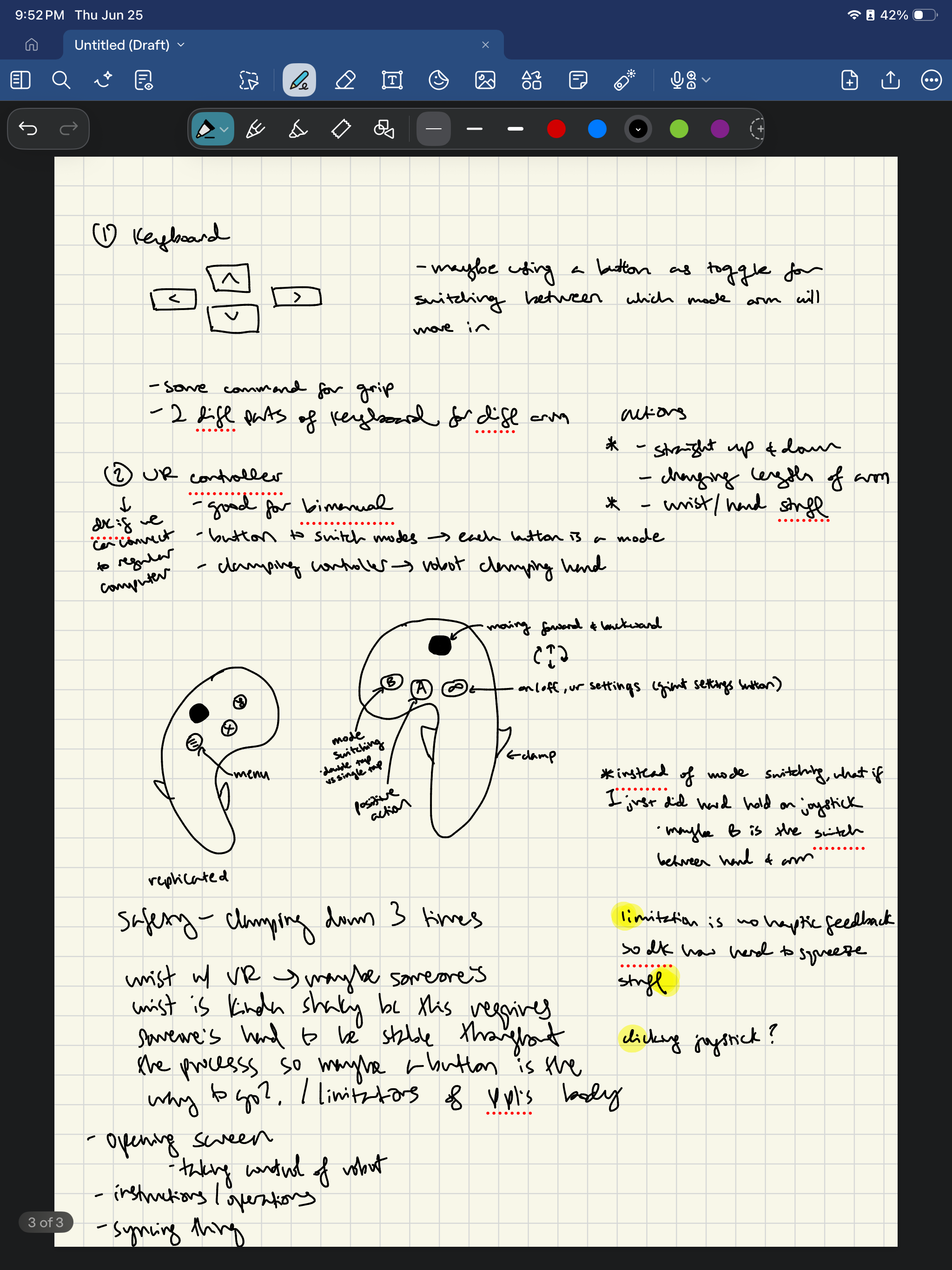
Today was a lighter work at home day. I went to the SURI fireside talk and learned more about how to have a stronger digital presence for recruiters and companies. Since I felt inspired, I worked a little bit on my portfolio. Then, I fleshed out more details of my teleoperation system since I got to try out the old control system on Thursday. I also did a lab training at Lab 64 for their laser cutter. Looking ahead, I am going to research more about human ergonomics, game hardware design, and how to actually program a VR controller/system.
Tuesday
Today, I looked into programming a VR controller system by learning the basics of how computer code controls a VR control system and how I could edit it to fit my system. I also finished my first draft of how the VR system will work. Attached are my notes.
Wednesday
Today, I learned more about how to connect a controller system to a robot. Currently, I am trying to sync up a joystick and a camera so that when I move the joystick in a certain direction, the camera moves in the corresponding direction in the corresponding amount.
Thursday
Today, I connected the robot motor to my computer and was able to get it to rotate to a certain position. We also had a crash course on robotics which I found very interesting.
Friday
Today, I completed the robot arm and visualization. Below are some demonstrations. The first video shows that when the user moves the robot arm, the position of the robot arm is projected as a red dot on the plot. The second video is shows that someone clicks a position on the sphere, the robot arm moves to the corresponding position. Some challenges I faced making the second demo was the direction and conversion of the angle: if the user clicked a position that was 350 degrees, the robot might make a weird movement since it also corresponds to 10 degrees. With the help of coding agents, I fixed it by making the robot arm go to closest equivalent angle. Another challenge I faced was the fact that the orientation kept flipping: for example sometimes clicking left of the sphere meant the robot arm would go to the left, but if I somehow flipped the orientation, the right of the sphere would now mean go to the left and the left of the sphere now meant go to the right. Another challenge I faced was that instead of taking the shortest possible distance to get to the new position, the robot arm would always reorient itself and then go to the new position. I fixed these two problems by asking the program to calculate the shortest possible distance and then take that distance. I am excited to apply these lessons to the actual teleoperation system I am trying to build.
Trace position demo
Command posistion demo
Week 4
Monday
Today, we had a SURI meeting, and I listened to some lightning talks and how to schedule informational interviews. After that, Venny helped me fix some orientation consistencies in my robot arm/sphere controller, and then I got to work making a similar control model for the actual robot wrist that will be on the GIRAF robot. I also downloaded ROS, which was a little bit of a pain since I have a Mac, and it only works on Linux. Thus, I had to use a virtual environment to download it, specifically Parallel Desktop, which I already had on my computer due to having to use Ansys in another lab I am working in.
Tuesday
Today I started on the code for the wrist robot arm and then helped show a visiting professor anymal. I also refined my VR controller a little bit. Here are some more ideas I generated:
- Let go of the grip -> robot freezes -> user gets chance to reorient hand to avoid awk positions
- Maybe instead of clicking the joystick down we hold down button A for up/dpwn
- Or just clicking joystick to toggle between modes
Wednesday
Today I connected the robot wrist's camera so that it was able to be streamed on my laptop. I thought the AI
vision of feature on OAK viewer was cool because it identified which objects were being streamed. However, it always thought that its own robot arm was a chair, so I thought that was funny because it couldn't recognize itself in a way. I also tried to connect the robot wrist to my computer, but for some reason, Dynamixel wouldn't scan the motor IDs. After some help from Venny, we realized we were missing a wire connection, which was funny because it was something so simple yet detrimental (story of technology). In the morning I also had to drive to Research Park near the Stanford School of Medicine to pick up some materials, which I thought was relaxing since I enjoy driving but I don't have that much experience.
Thursday
Today I got the robot wrist demonstration to work, meaning that when I move the wrist its position is projected onto my computer and when I click a position on the sphere the robot wrist moves to the corresponding position. Venny also made me some fake VR controllers, so I could get started on proof of concept while waiting for the real VR controllers to arrive. I also connected my computer to the Optitrack system which will act as the headset (tracking the position of the VR controllers).
Friday
Today I tried to get the code to stream the position of the mock VR controller onto my computer through Optitrack but I kept running into many issues, the main one being a timeout error. I also attended our weekly meeting.
Week 5
Monday
Today I went to the SURI meeting and presented my research. I also continued tried connecting Optitrack and realized I had to set up a Python API, but I didn't have the correct Github. Afterwards, I went to laser cut some designs.
SURI presentation
Tuesday
Today I continued trying to get the Optitrack to work, but ended up just deciding to wait for an actual PC.
Wednesday
Today, we set up the PC and then I tried to get my code to stream the position data of the controllers. However, for some reason it still doesn't work as I keep getting an error saying no natnet module found. Besides this, I worked on some mapping movements to buttons on the prototype controllers. Since the prototype controllers has no buttons, I just decided to make the movement of up/down/forward/backwards correspond to the user movement. However, since the robot arm moves 10 feet there needs to be some scaling that happens, for example 1 feet = 1 inch or something like that. Controller orientation would map to wrist movement and for safety control, I would have a foot pedal. Since there are also no grippers on the prototype, I was thinking of using another foot pedal for the gripper.
Thursday
After some debugging, I finally got my code to stream the position data of one of the controllers. I think the main issue was that my natnet module was not in the correct shared library and also the account I was using on the PC didn't have any admin privileges so pip install and downloading any python packages was disabled. Additionally, I had to install a virtual environment. I fixed this by fixing the path of the natnet module and also granting the current account admin privileges. Then, I implemented a similar demo to the tracing position demo I did with the robot arm and robot sphere, except this time, it was with a rectangular prism. I am working on relative positioning so that even if the person disengages the safety control, they can continue operating the robot from a newer, more comfortable position. Additionally, there will be a reset position so the robot's position will reset to its default position. However, right now, I am not worrying about scaling too much.
Note to self: the controller with the smaller ball at the top is ID 33.
Friday
I added some finishing touches on the controller, including if you double hit "r" the position and orientation scaling resets back to 1:1. I also started breaking down the code and trying to understand it. Besides the notes that I am about to paste below, I also added a bunch of comments to the github repo. I also attended a talk by Professor Khatib on his underwater robot work!
Github
Week 6
Monday
Today, I attended a SURI meeting where I listened to other SURI students present their research and how to build a portfolio/how to network with alumni. I also worked on connecting the teleoperation system with the Mujoco sim and was able to try and complete a few tasks with it. Below is a video to a demo. Some things that I want to change are making someone hold a space bar instead of just pressing it for better safety and scaling issues since I noticed my arms felt fatigue since I had to move quite a bit to get to the desired location.
Video demo
Tuesday
Today, I tried to change the toggle function in the space bar to press/hold instead, but then I realized that Mujoco doesn't recognize when the space bar is released, so I had to download pynput. However, I still ran into many bugs. Stanley also connected the robot to the controllers we have right now, so we will work on operating the real robot with the controller. Though it is connected, the rotation is still off.
Wednesday
Today, I fixed up the simulation so that the person could change the ratio of robot arm position to controller position with the up and down keys in increments of 0.5. So for example, if someone pressed the up key, and they moved the controller position 1 m, the robot arm position would move 0.5 more in that corresponding direction. Then, if they pressed the down arrow, and they moved the controller position 1 m, the robot arm position would move 0.5 less in that corresponding direction. Same thing for robot wrist orientation and controller orientation. What I hope this design issue will fix is being able to more precisely control the robot arm and wrist during different part of tasks that require coarse movement versus fine movement. I also am starting to think about how to upgrade the current controllers so that we do not need the keyboard, allowing for full bimanual teleoperation.
Thursday
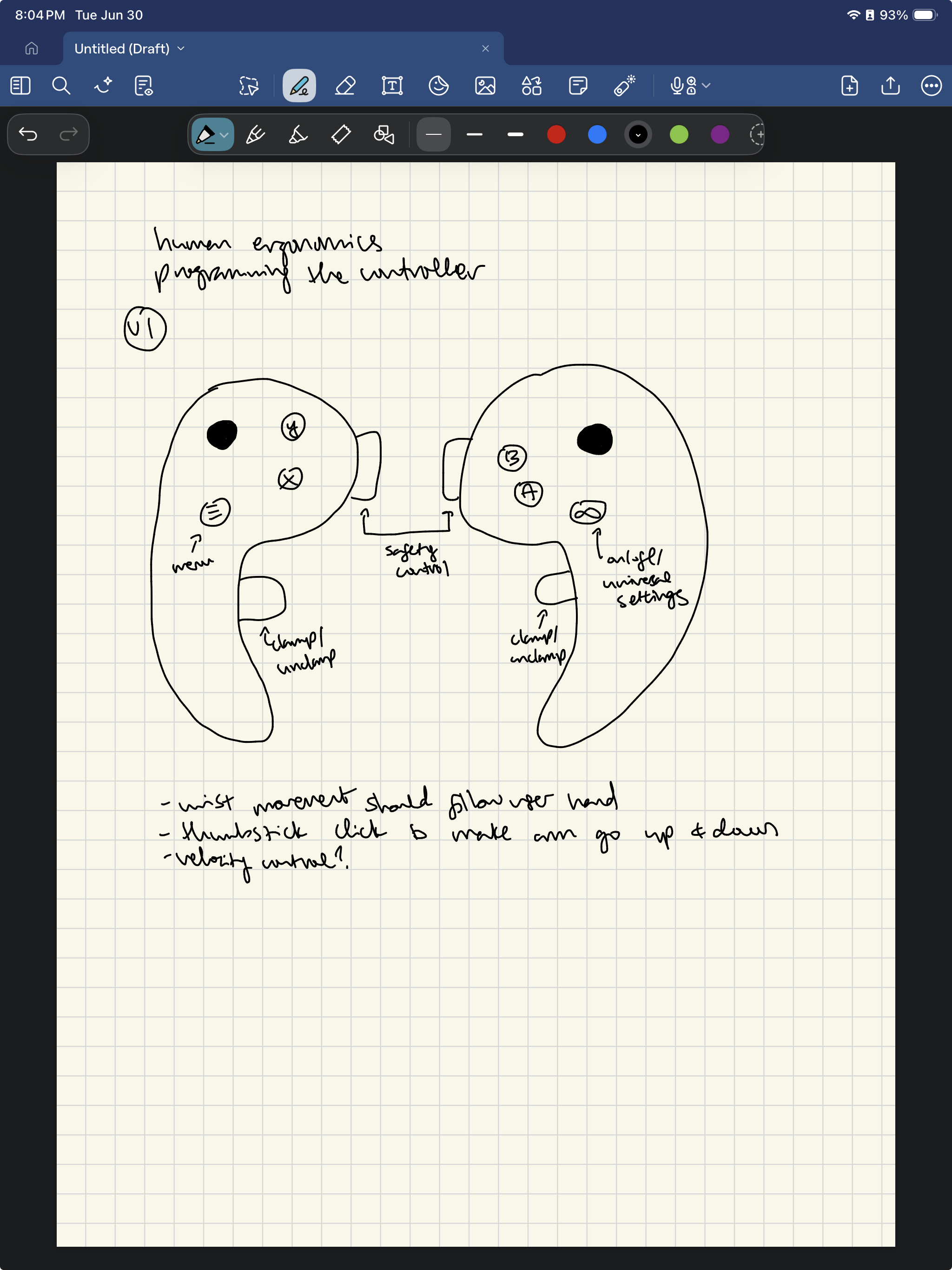
Today, I started considering how to best elevate the physical controllers so we can use them without keyboards. Below are my notes. I think the main things I am thinking of right now is how to vary the buttons (position, sizes, shapes) to make it the most intuitive for the person to use.
Attach:controller1.pdf
Friday
Today, I attended our weekly lab meeting.
Week 7
Monday
I brainstormed more designs of the controller, which are attached below. I am leaning more towards design 1 because then it requires less wires.
Attach:controllerdraft1 Δ
Attach:controllerdraft2 Δ
Attach:controllerdraft3 Δ
Attach:controllerdraft4 Δ
Tuesday
Today, I searched for parts on Amazon to buy for the controller and tried to connect the robot arm to the keyboard. Since I didn't know that much about the code that Venny set up, I went through and it learned what each function did.
Wednesday
Today, I continued trying to connect the arm to the keyboard so that if I pressed the up arrow, the arm would move up, if I pressed the right arrow, the arm would move right, if I pressed the left arrow, the arm would move left, if I pressed the down arrow, the arm would move down. However, I ran into some issues with trying to connect it to keyboard since I realized I might need to create a docker. Because of that, I read more about how a docker works and how I would install one. I think I am pretty close to getting the arm connected to the computer.
Thursday
Today, I continued trying to connect the robot arm to the computer. I made some progress as the computer now recognizes the usb connection. However, there are still some connection issues. I also attended a meeting with Professor Cutkosky today.
Friday
Today, I attended the weekly lab meeting. I also continued getting optitrak and the robot arm to recognize each other. I ran into some hosting issues and version issues, but I think I am pretty close to getting it done.
Week 8
Monday
I can't believe it's already week 8-- time flies by! Today, I was able to get the robot arm and optitrak to communicate in the docker. I also attended a SURI meeting and learned more about creating a e-portfolio, which I found very helpful since I am trying to build mine up.
Tuesday
I spent the entire day trying to connect the wrist to the dynamixel which for some reason took super long. For some reason, the computer was recognizing the USB, but dynamixel just couldn't scan the motors in. After some consulting, I thought it might have been the power hub's issue, so I cut the wires and soldered them to connect them to the power supply. However, even that didn't work. In the end, we just concluded the U2D2 was broken since using that U2d2 didn't work on the actual anymal either. Technology am I right!
Wednesday
Today, I got both the buttons and foot pedals, so I connected them to the Mujoco simulation. When I press and hold on the foot pedal, tracking is on, and when I let go of the foot pedal, tracking is off. One of the buttons is for opening/closing, and the other button is for position scaling. An issue I ran into was getting Mujoco to recognize the foot pedal press/hold. For some reason at one point, I couldn't get Optitrak to stream anything at all, but when I rebooted the pedal, it started working again. Now, I am going to think about the ergonomics of the handle and hopefully think of some interesting applications of the 3rd button on the keyboard since it is unused right now.
Thursday
I started on some of the sketches today for the controller but got a little bit distracted because the PC wouldn't turn on due to no HDMI signal. I wasn't sure what was going on so I tried a different monitor, changing out the wire...I even opened up the PC itself to take a look at the motherboard. However, in the end it was just a power issue. Here are my notes.
Friday.
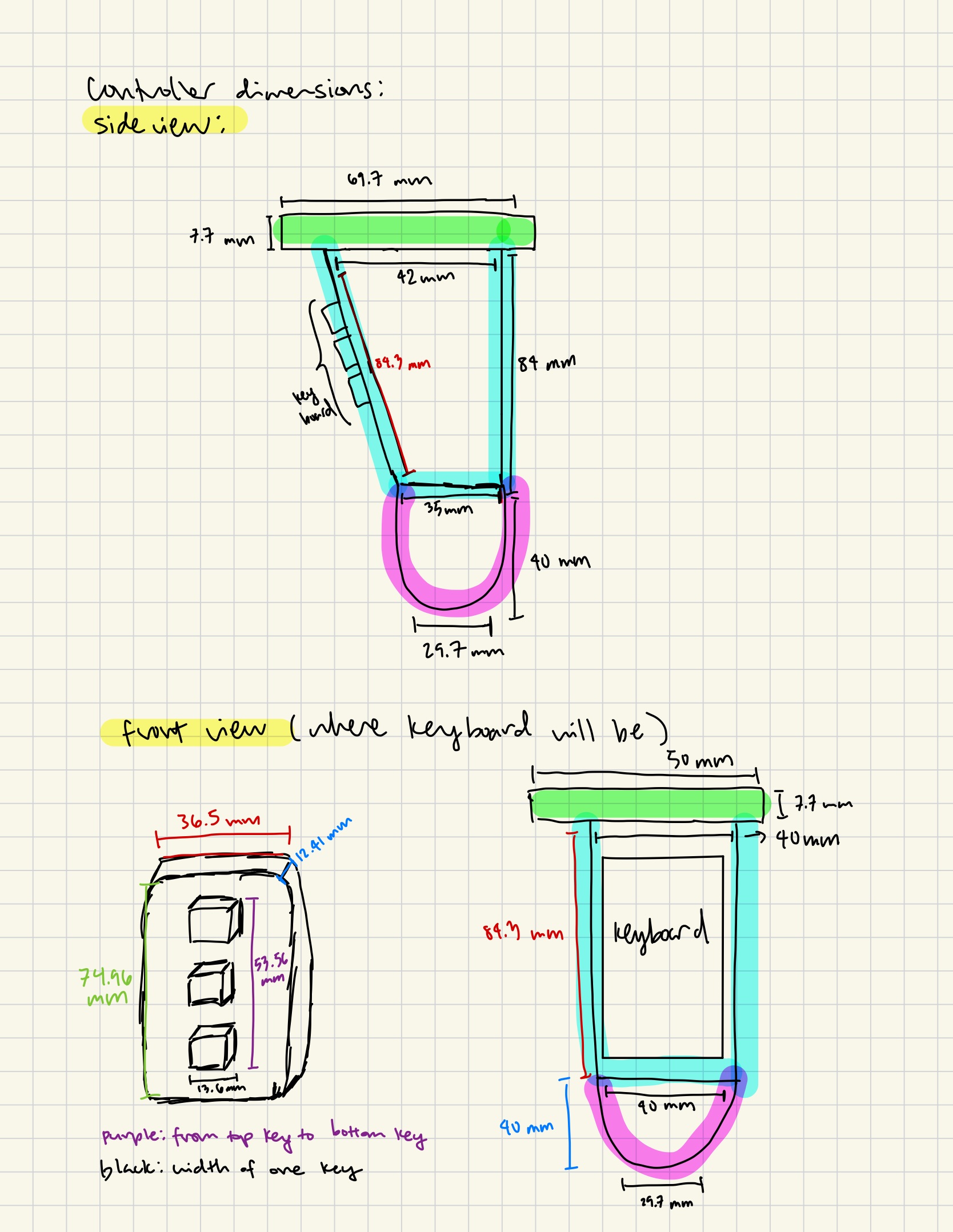
Today, I presented at the weekly BDML meeting. I also finished my controller design. It was kind of hard to think of the dimensions so I based it off our existing prototype and the Meta VR controllers. I also got an open board RB150 that I am going to use as a U2D2.
Presentation link
Week 9
Monday
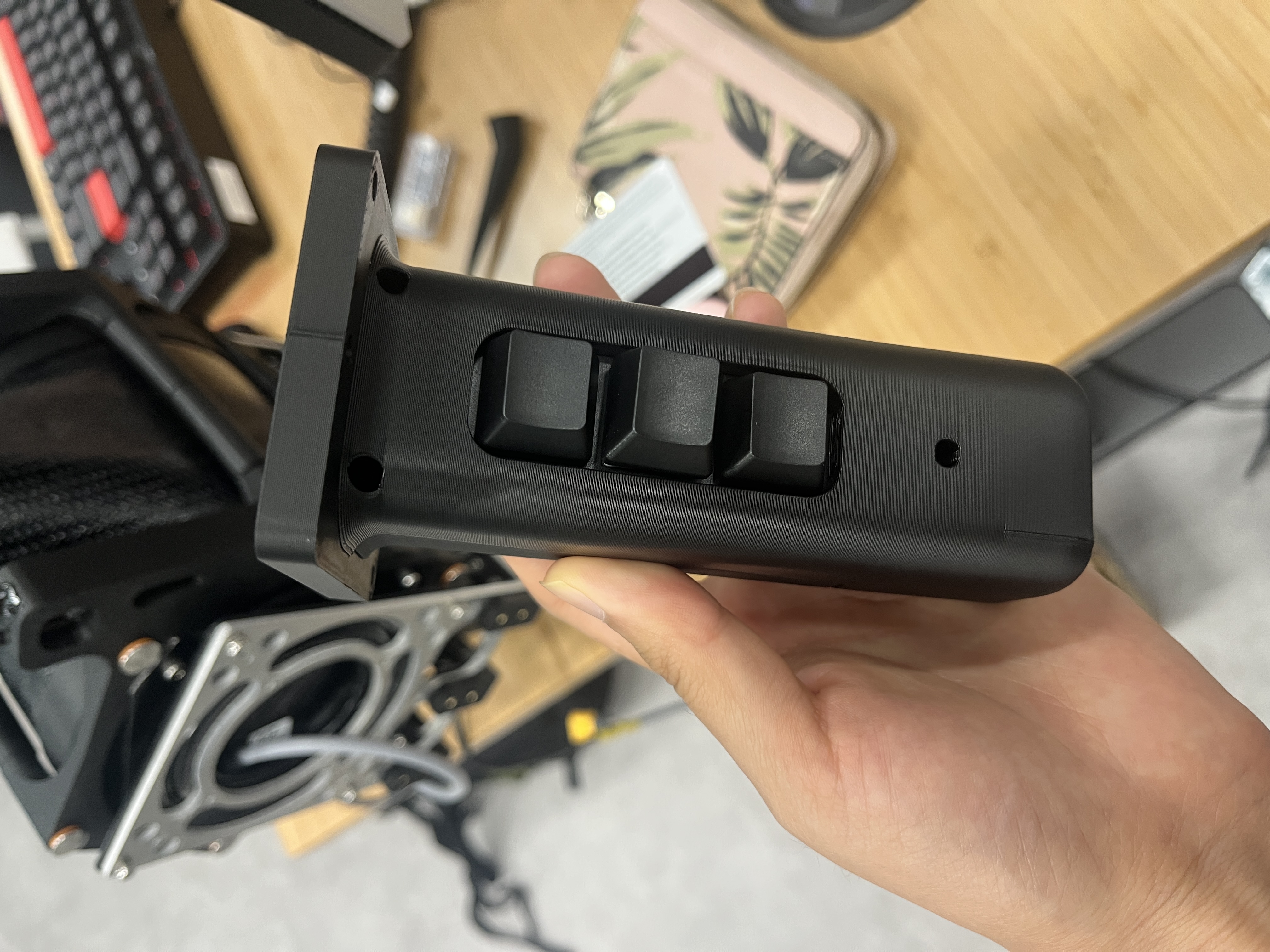
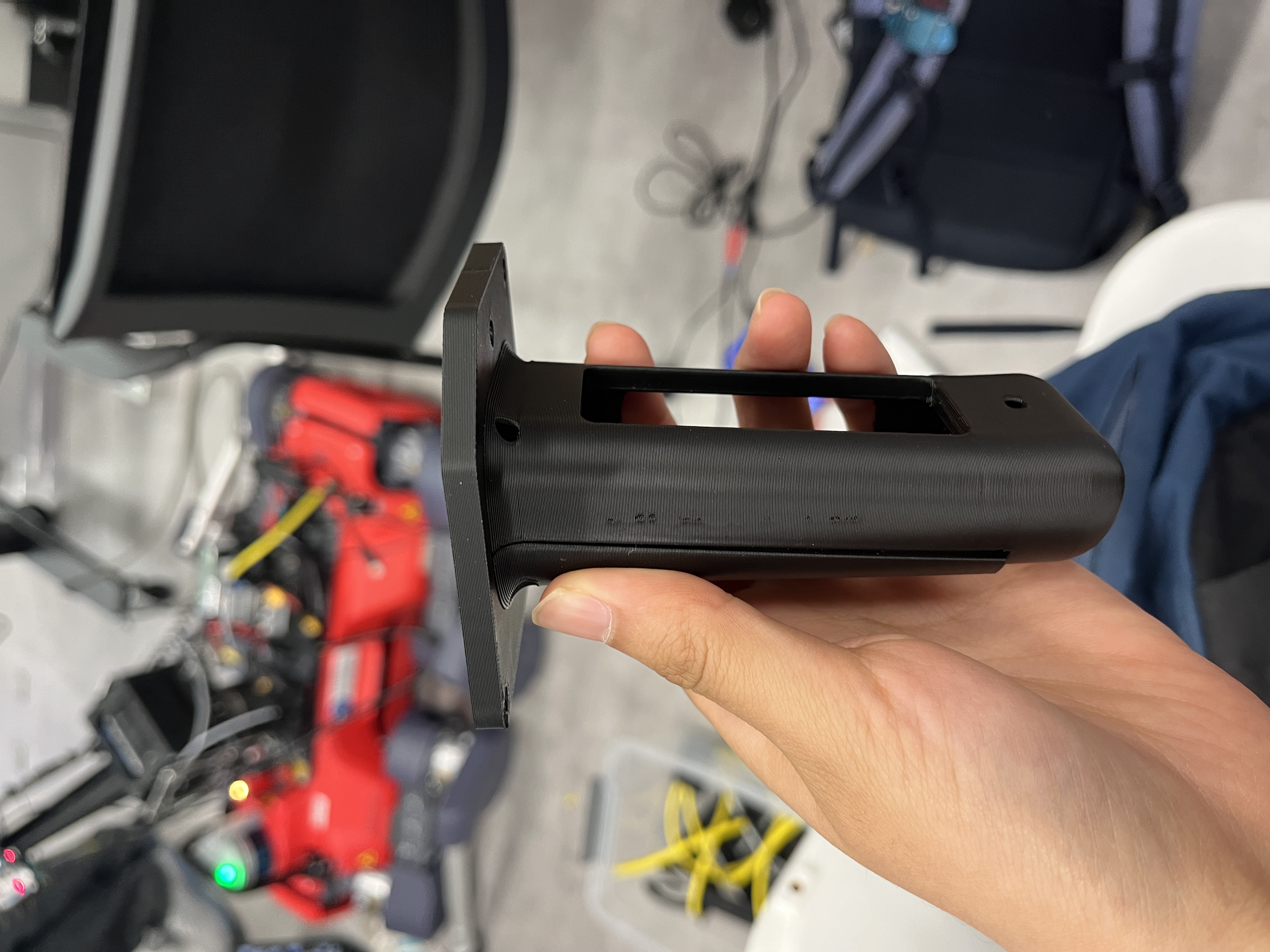
Today, I got back my controller prototype and realized it was way too wide and could have been shortened. It also should have been rounded more for ergonomic reasons. After redoing some measurements and receiving some feedback, I decided to implement some changes. Below are the 2 prototypes I did. I also realized the best way to hold the controller was at a 45 degree due to the natural curvature of our fingers. Therefore, I may reprototype the controller's top plate to reorient that way, but for now I am satisfied with the product. After reiterating on the controller, I went to a SURI meeting where we had a lesson on public speaking. After the meeting, I learned how to use the RB150 as a U2D2, which involved installing Arduino and adding the board into its board manager. Then, I bolted the robot arm and wrist and am ready to start connecting my controller to the physical parts.
Tuesday
Now that I have the wrist mounted on the robot arm, I am trying to connect the controllers to the robot arm. The dry run succeeded, but I had some trouble connecting the foot pedal to the space button. Now, I am moving onto potentially trying to move the arm with keyboard commands.
Wednesday
I worked on my poster that will be presented next Friday.
Thursday
I worked on my poster, and tried to connect the arm to the PC; however, it wouldn't recognize CANdle. The issue ended up being that the wire was broken so we had to solder it. I also attended the poster session by labmates in SSFP.
Friday
I worked some on the poster and got the new CANdle. I planned more about the poster, such as what user studies I will do and what the highlight picture will be/ how to capture that. I also learned more about the actual math behind how we know where the robot end position will be. I also tried to continue connecting the robot to the PC but it kept saying ros is already being run.
Sunday
I finally got the keyboard and the robot arm to connect, so that when I press wasd, the arm moves in the corresponding direction (up, left, down, right). The main issue was that for some reason, the robot/computer doesn't recognize up/down/left/right as much as the actual letter keys so i switched the arrows to letters. I also continued adding to the poster, specifically the controller mapping part.
Week 10
Monday
Today I was focused on finishing my poster by running user studies. Besides attending the SURI meeting, I ran user studies, asking each user to try each controller with a 30 second practice, 1 minute to pick up as many bananas as possible, 30 second practice, and then 1 minute to pick up as many bananas as possible. This process was repeated for each of the 3 controllers (xbox, with keyboard, w/o keyboard). The results were that people were able to pick up 4x as many bananas with the controller I designed, but not with that much distinction between with keyboard and w/o keyboard. However, people did report they enjoyed no keyboard because they didn't feel as tied to something. I learned a lot about running the user studies such as randominizing the order and introducing different controllers to users. Below is my poster.
poster link
Tuesday
Today I just decided to try and connect the wrist to optitrak. However, since the computer is not able to provide the openboard enough power, I had to learn how to use an external power supply to power the board. This involved shaving some of the insulation of the wire and sticking it into the board.
Wednesday
I finally got the controller and PC connected and now can teleoperate the arm with Optitrak. After Venny told me I should work with the keyboard script, we started building off of that and little by little, we eventually turned the keyboard script to use optitrak streaming data as the input. Below is a video demo.
final demo video
Thursday
Today, we refined the controller so that the robot arm better followed the controller. We did this by increasing gains and max speed. We also refined the rotation so that the wrist actually followed controller orientation. We also filmed some fun demo videos! Below are some demo videos of picking and placing, folding clothes, and typing on a keyboard.
stanley folding clothes
tiffany picking up stuff
venny typing
Friday
Poster presentation day! Thank you so much to Venny, Stanley, Professor Cutkosky, and the rest of the BDML lab for making this such an amazing summer!